How Is Safe Two Factor Authentication(2FA) Exactly?
Hello!

But how effective is this second layer? While it significantly reduces risks, no method is foolproof. This article explores the strengths and vulnerabilities of popular 2FA methods in 2026, helping you choose the right approach to protect your sensitive accounts from hackers who could drain savings, steal data, or compromise your work.
What Is Two-Factor Authentication (2FA)?
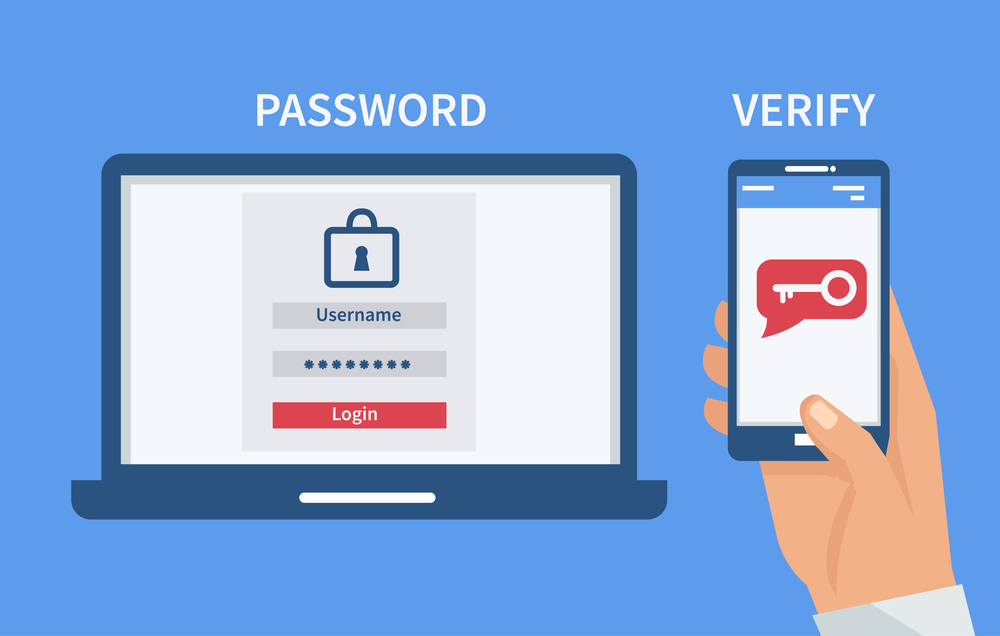
2FA requires a second form of verification—such as a code sent via SMS, an app, or a physical key—after entering your password. This additional barrier makes it harder for hackers to access accounts, even if they steal your credentials. In 2026, with 70% of online users adopting 2FA for at least one account, it remains a cornerstone of cybersecurity. However, each 2FA method varies in security, convenience, and vulnerability to attacks like SIM swapping or phishing.
SMS-Based 2FA: Convenient but Vulnerable
SMS-based 2FA, the most common method, sends a one-time code to your phone, which you enter to log in. It is user-friendly and widely supported, used by 60% of 2FA-enabled platforms in 2026. However, it is less secure than many assume.

- SIM Swapping: Hackers can hijack your phone number for as little as $16 by exploiting carrier weaknesses or posing as you to request a SIM transfer. Once rerouted, they receive your SMS codes.
- Social Engineering: Criminals gather personal details—like your birthdate or phone number—from social media or data breaches to facilitate attacks.
- Interception: Sophisticated hackers can intercept SMS via network vulnerabilities.
Protection Tips:
- Enable carrier alerts for SIM changes.
- Use a strong, unique PIN with your mobile provider.
- Consider switching to app-based or hardware 2FA for sensitive accounts.
While SMS 2FA is better than passwords alone, it is not ideal for high-stakes accounts like banking.
Email-Based 2FA: Risky if Not Isolated
Email-based 2FA sends a verification code or link to your email. It is simple but only as secure as your email account.
Vulnerabilities:
- Shared Passwords: If you reuse passwords across accounts, a compromised email gives hackers access to both your email and 2FA codes.
- Phishing: Fake login pages can trick you into revealing email credentials.
- Weak Security: Many users neglect strong email passwords, making this method a weak link.

- Create a dedicated email for 2FA with a unique, complex password.
- Enable 2FA on your email account, preferably using a non-email method.
- Regularly monitor email security settings for unauthorized access.
Email 2FA is a poor choice unless paired with robust email security, as it is only as strong as your inbox’s defenses.
Push-Based 2FA: Fast but Internet-Dependent

Vulnerabilities:
- Internet Dependency: No signal or Wi-Fi means no access, problematic in remote areas.
- Device Theft: If your phone is stolen and unlocked, hackers can approve logins.
- Phishing Risks: Fake push notifications on compromised devices can trick users.
Protection Tips:
- Use biometric locks (fingerprint or face ID) on your device.
- Ensure reliable internet access or a backup 2FA method.
- Be wary of unsolicited push notifications.
Push-based 2FA is convenient and secure for most users but falters without connectivity.
Hardware-Based 2FA: Unhackable but Inconvenient
Physical keys, like YubiKey or Google Titan, are USB or NFC devices storing unique security codes. You plug them in or tap them to authenticate, offering top-tier protection.

- Physical Loss: Losing or damaging the key can lock you out, requiring complex recovery processes.
- Inconvenience: Carrying a key isn’t practical for frequent logins.
- Theft Risk: If stolen without a PIN, keys can be used unless paired with biometrics.
Protection Tips:
- Store keys in a secure location, like a safe, for critical accounts.
- Use backup keys or recovery codes stored offline.
- Pair keys with PINs or biometrics for added security.
Hardware 2FA, ideal for cryptocurrency wallets or enterprise accounts, is nearly unhackable but less practical for daily use.
App-Based 2FA: The Gold Standard
Apps like Google Authenticator or Microsoft Authenticator generate time-based codes offline, offering a balance of security and convenience. In 2026, 30% of 2FA users prefer app-based methods for their reliability.

- Unsecured Apps: If your phone is unlocked, anyone can access codes.
- Phishing: Fake login pages can trick you into entering codes.
- Device Loss: Losing your phone requires account recovery, which can be cumbersome.
Protection Tips:
- Use apps with biometric locks (e.g., Microsoft Authenticator’s fingerprint feature).
- Avoid entering codes on suspicious sites.
- Back up recovery codes in a secure, offline location.
App-based 2FA is highly secure and works offline, making it a top choice for most users.
Is 2FA Enough?
No 2FA method is invincible—hackers exploit human errors, like weak passwords or phishing susceptibility. SMS and email 2FA are particularly vulnerable, while app-based and hardware methods offer stronger protection.

- Use a password manager to generate unique, complex passwords.
- Regularly check social media privacy settings to limit exposed personal data.
- Monitor accounts for suspicious activity via alerts or audit logs.
- Educate yourself on phishing tactics to avoid fake login prompts.
In 2026, 85% of data breaches involve human error, underscoring the need for layered security. 2FA alone isn’t a silver bullet but significantly reduces risks compared to passwords alone.
Conclusion
Two-factor authentication is a critical defense in 2026’s high-stakes digital landscape, where a single breach can drain bank accounts or compromise sensitive data. While SMS and email 2FA offer convenience, they are susceptible to SIM swapping and phishing. Push-based and app-based methods balance usability and security, while hardware keys provide unmatched protection at the cost of convenience. For optimal safety, pair 2FA—preferably app-based or hardware—with strong passwords and vigilant habits. Assess your needs: casual users may find SMS sufficient, but high-value accounts demand robust solutions like Google Authenticator or YubiKey. Choose wisely, stay proactive, and keep hackers at bay.
Thank you!
Join us on social media!
See you!
Subscribe to our newsletter
Get the latest Web3, AI, and crypto news delivered straight to your inbox.