3 Ways to Change Video Speed: Desktop, Mobile, and Online
Hello!
High-quality video content has become a powerful tool for promoting a service or business. According to video marketing statistics, it is also an accessible format that delivers strong engagement across platforms.

In this article, we explore the three best ways to change video speed on desktop, mobile, and online platforms. You will discover practical tools, learn how to use them effectively, and pick up useful tips for professional results. Let’s dive in.
Way 1. Edit Videos on a PC with Clipify
If you prefer working on a computer, try Clipify. This automatic video editor enables you to produce polished videos in just a few clicks. Simply drag the slider to slow down or speed up any clip, or select a preset speed from the drop-down menu.
Beyond speed control, Clipify lets you replace backgrounds, refine audio tracks, create picture-in-picture effects, and enhance visuals. It includes a built-in library of music, effects, and titles. Note that the program is currently available only for desktop.
Way 2. Try PowerDirector for Mobile Devices

The video editor also offers cropping, effects, animated titles, and direct export in HD or 4K. You can instantly share finished videos to YouTube, Facebook, and other platforms.
While the app is free to download, advanced features require a subscription. It also occupies significant storage space and may occasionally experience performance issues when handling high-resolution footage on older devices.
Way 3. Modify Videos Online with Flixier
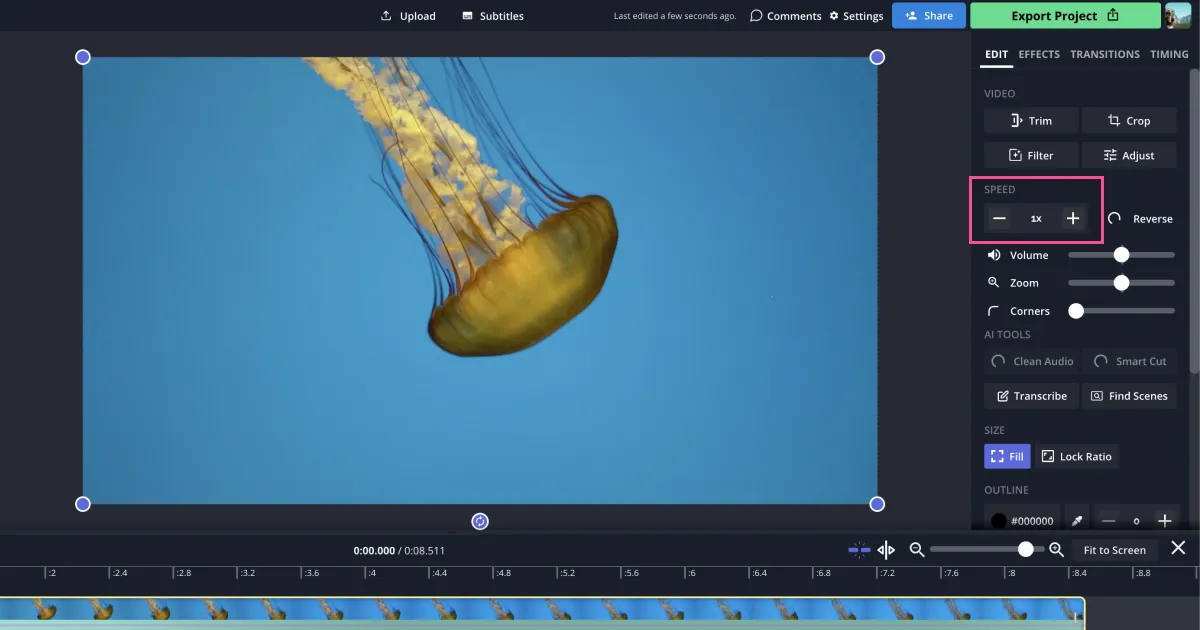
If you prefer a browser-based solution, Flixier lets you speed up or slow down clips quickly. Popular presets such as 0.5x and 2x are available, and you can fine-tune speed manually with the slider or by holding Shift while dragging the clip edge on the timeline.

Keep in mind that a stable internet connection is essential. The free plan adds a watermark, and storage and resolution limits apply.
Tips to Adjust the Video Speed
With the right tool, editing speed becomes straightforward. For polished, professional results, follow these recommendations:
Experiment with Speed Options

Choose the Right Video Parts
Not every section benefits from speed changes. Edit only the parts where altering the pace genuinely improves storytelling.
Create Smooth Transitions
Ensure the video flows naturally between normal and adjusted speeds. Gradual transitions and blending techniques prevent jarring cuts and maintain viewer engagement.
Also read:
- 10 Reasons to Study Machine Learning
- Big Data In Financial Technology Segment
- How to use Direct Mail To Grow Your Marketing Results
Conclusion

Now that you understand the essentials of speed adjustment, choose your preferred program and start creating. Thank you!
Join us on social media!
See you!
Subscribe to our newsletter
Get the latest Web3, AI, and crypto news delivered straight to your inbox.