Your Office Reveals Less About Personality Than Who Controls the Work
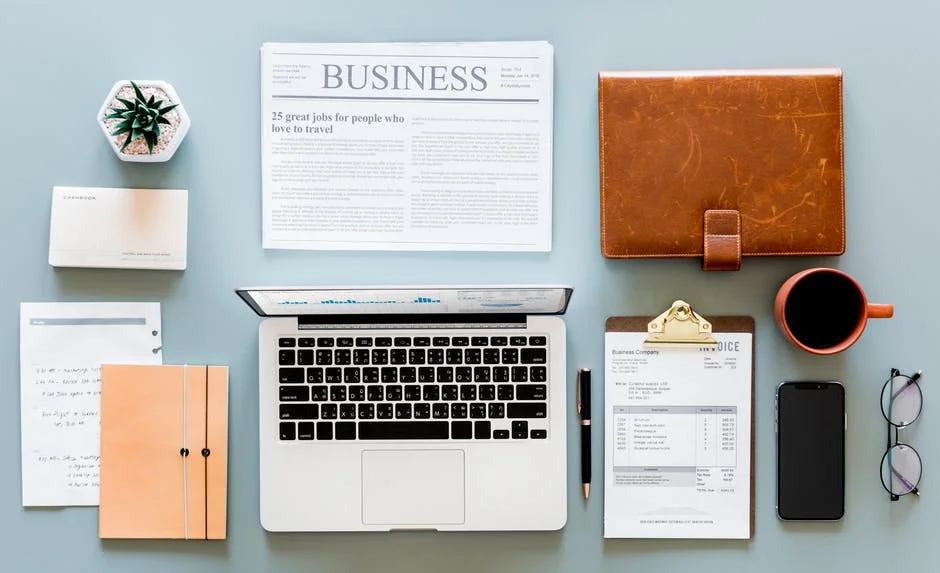
A desk can shape how colleagues or clients read you, but it is a poor personality test. Clutter does not reliably identify an extrovert, and an empty surface does not prove discipline; an office more clearly reveals what work happens there, what the organization permits and how much control its occupant has.
That distinction matters even more in hybrid work, where the “office” may be an assigned room, a shared workstation or the background of a client call. Recent evidence shifts the useful question from “What trait does this décor expose?” to “Does this environment provide privacy, identity and practical support for the task?”
A workspace creates impressions, not a personality diagnosis
People do form impressions from physical environments. Visible books, artwork, project materials, family photographs and an orderly filing system all provide cues, but a cue can reflect several causes. A crowded desk might indicate an active project, inadequate storage, a rushed deadline or simply the rules of a shared room.
The strongest warning against amateur diagnosis comes from research aimed directly at workspace personalization. In a survey of 234 employees across 33 companies, the Environment and Behavior study found that personality was related to personalization only indirectly; company policy, employee status and workspace type were the primary predictors.
So an office may support a reasonable observation—this person keeps reference material close, welcomes conversation or protects uninterrupted time—without justifying a character verdict. The honest reading stays close to what is visible and avoids turning tidiness into trustworthiness, minimalism into coldness or decoration into creativity.
The clearest signal is how much control the worker has
A personalized office can communicate identity, continuity and permission to settle in. A bare hot desk may communicate something quite different: the worker may have to clear it every evening. In that situation, the absence of personal objects says more about the operating model than about the person using the chair.
This is the central update for hybrid offices. A 2025 cross-sectional study surveyed 971 employees in activity-based offices across five Finnish organizations and found that favorable perceptions of task privacy, environmental satisfaction, person–environment fit and the ability to switch workspaces were associated with better recovery and self-reported work ability. The peer-reviewed hybrid-work research also linked more favorable perceptions with higher engagement and lower burnout risk, while carefully reporting associations rather than proof that office design caused those outcomes.
The practical implication is not that every creator or founder needs a private room. It is that a workspace should offer meaningful choices: somewhere to concentrate, somewhere to talk, a predictable place for essential equipment and clear permission to adjust the environment. Control can be expressed through a movable lamp, an available quiet room or reliable storage just as much as through décor.
Read the room as a map of the work
The most informative objects are often functional. A clear area for reviewing layouts, an accessible microphone, charging points, labeled production drives or a second chair for collaborators can make a creator’s workflow legible. They show what the room is prepared to support without pretending to expose the occupant’s inner character.
Look first at whether the space separates conflicting activities. Recording and sales calls need acoustic consideration; concentrated editing benefits from protection against interruptions; collaborative review needs a screen or surface everyone can see. If every activity competes for the same small zone, the problem is not an unfashionable desk—it is a workflow with no spatial boundaries.
Next, distinguish active material from abandoned accumulation. Notes, samples and equipment associated with a current production can be useful even when the arrangement looks busy. Obsolete printouts, blocked walkways, unidentifiable cables and objects that prevent someone from sitting down are different because they interfere with access, safety or the next task.
Finally, assess what the room communicates to other people. A visitor needs an obvious place for a coat, bag or laptop and should not have to move confidential papers. A remote collaborator needs intelligible sound, a stable frame and a background that does not disclose private information. These are concrete forms of professional consideration, not matters of decorative taste.
Comfort is evidence of planning, not a style choice
An impressive-looking office can still be physically unsuitable. Before choosing colors or display objects, check whether the body and equipment fit the workstation. Official guidance does not prescribe one perfect pose or universal arrangement because bodies, tasks and components differ.
OSHA’s computer-workstation guidance recommends a custom fit while identifying basic goals: the monitor top at or just below eye level, support for the lower back, relaxed shoulders, aligned hands and forearms, adequate keyboard and mouse room, and supported feet. Those visible choices say something useful about the space: it was arranged for sustained work rather than for a photograph.
Lighting deserves the same functional test. Instead of assuming that one color temperature or fashionable fixture improves everyone’s mood, ask whether the worker can read, edit and appear on camera without glare or deep shadow. Adjustable lighting is valuable because the task and daylight change; the relevant signal is adaptability, not a supposedly universal “productive” palette.
Make the office legible without staging a persona
A workspace does not need to look neutral, luxurious or perfectly balanced. It needs to make its purpose and boundaries easy to understand. A short reset can achieve that without erasing the objects that help the occupant think.
- Protect the primary task. Keep the tools used for the main activity within comfortable reach and move unrelated material elsewhere.
- Create one clear landing area. Reserve a small surface or seat for a collaborator, client or incoming material rather than clearing the whole room.
- Give active work a boundary. Use a tray, shelf or labeled zone so visible project material reads as work in progress rather than indefinite storage.
- Control accidental disclosure. Remove passwords, financial details, private photographs and client information from visitor sightlines and video backgrounds.
- Add identity deliberately. Choose a few objects that genuinely support memory, belonging or conversation instead of filling space to perform creativity.
For a creator, the result may still be visually dense: reference books, prototypes and production equipment can be integral to the job. For someone working mostly through confidential calls, the same standard may produce a restrained room with acoustic treatment and little on display. Neither arrangement proves a personality type.
What the office can credibly say is more practical: which activities are valued, whether other people are considered, and whether the worker has enough agency to shape the environment. That is a more useful impression to manage—and a fairer one to draw—than any diagnosis based on a coffee cup or an empty desk.
Also read:
Subscribe to our newsletter
Get the latest Web3, AI, and crypto news delivered straight to your inbox.