
Gamma Buys Lica—100M Users Are Its Distribution Advantage
Startups & Business 28

Blank slides are brutal in 2027. A deck can win funding, seal a sale, or lull a room to sleep. That pressure fuels the rise of AI slide builders. These tools draft content, tidy layouts, and let you focus on the story—often inside the apps you already use. If your team lives in Google Slides, for example, the PlusAI add-on spins up on-brand slides without opening a new tab.
We spent weeks hands-on with the front-runners, grading workflow fit, output quality, design control, pricing, and security. Here are the 11 that deserve a spot in your toolbox.
Promo videos and feature checklists weren’t enough. We opened every app, fed it the same brief, and timed the journey from blank canvas to editable deck. Then we repeated the drill until each platform felt familiar.
To stay fair, we followed Zapier’s “best apps” playbook: real humans, real use cases, no paid placements, and tougher, presentation-specific benchmarks. (zapier.com)
Each product earned a weighted score out of 100 across ten deadline-critical factors: workflow fit, output quality, design control, brand fidelity, collaboration, price, security, ease of use, free-plan generosity, and support depth.
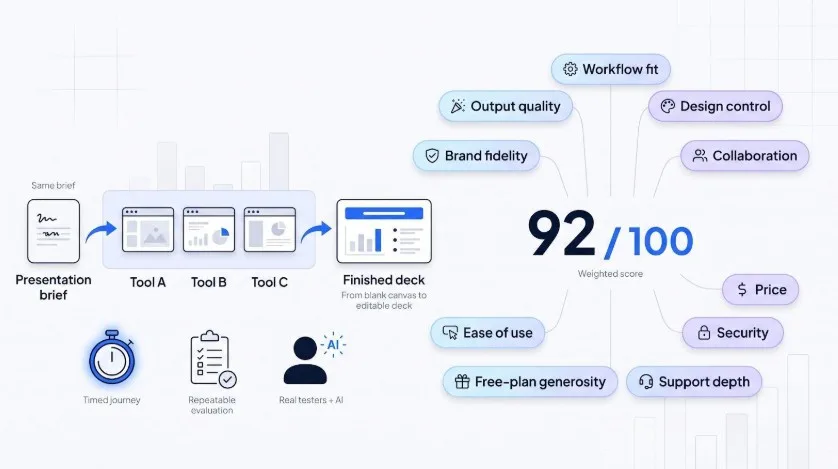
The table below shows the rankings before we dig into the full write-ups.
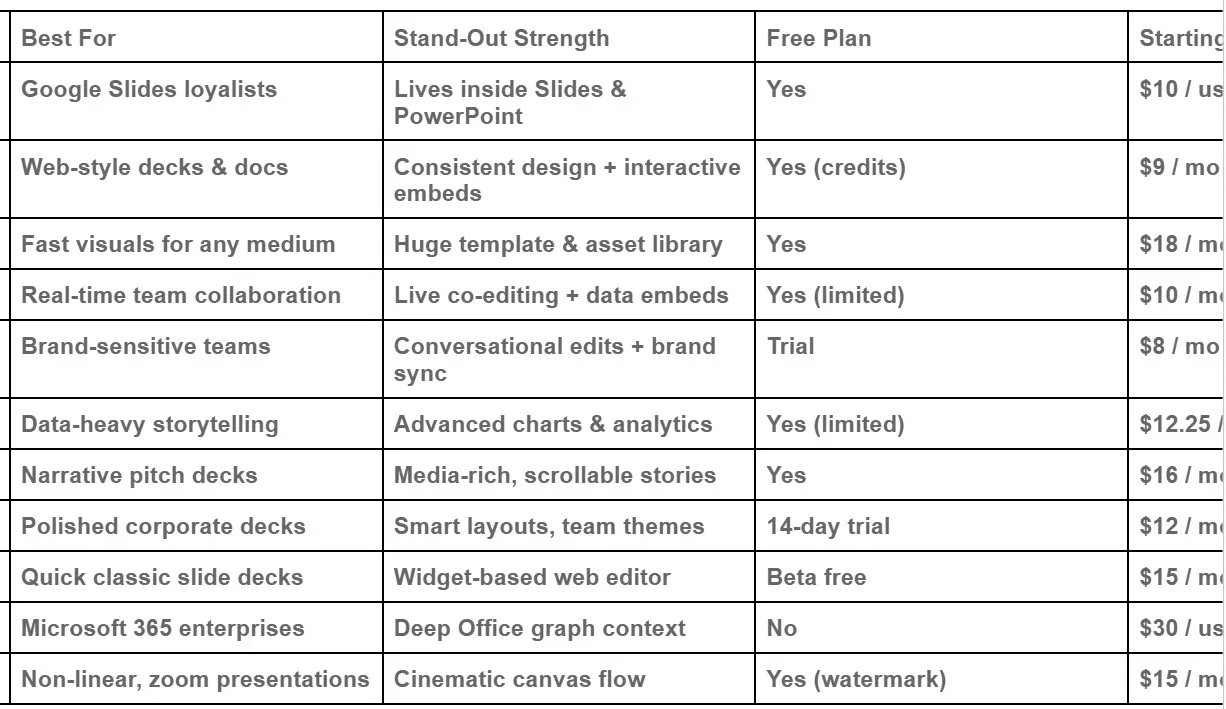
*Public pricing checked July 2026. Always confirm current rates.
Open a deck in Google Slides, click the Plus AI sidebar, and watch the blank space fill. No exporting, no format gremlins, no “new tool” learning curve. Everything happens inside the editor you already share with colleagues, and the identical assistant lives in PowerPoint too, a dual-platform setup Plus details on plusai.com.
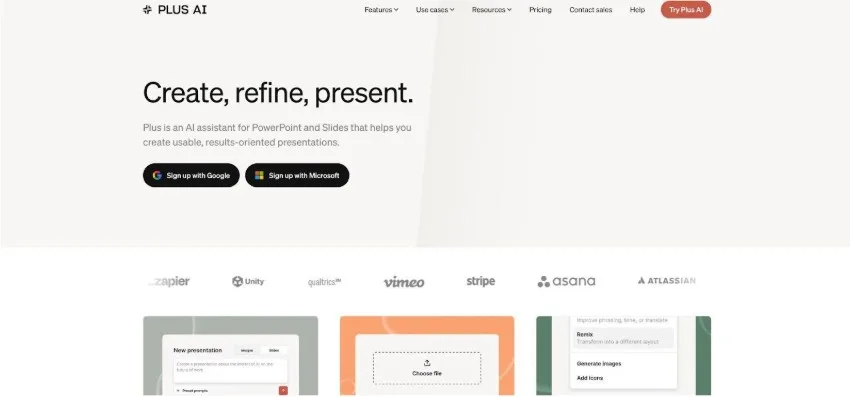
Plus AI Sidebar Inside Google Slides Editor
That inside-Slides workflow is the key advantage. Draft an outline or paste raw notes; Plus AI turns them into a full slide deck with speaker notes and suggested images. Need tweaks? Highlight a slide and ask the assistant to tighten copy, add data, or shift the visual style. The AI updates only that slide, leaving the rest intact.
Teams praise the frictionless feel. One Reddit power-user wrote, “If your team lives in Google Slides, this is the answer … zero learning curve.”
Because the slides stay native, real-time collaboration, comments, and version history work exactly as they always have. Brand control comes from Google’s master themes plus Plus AI’s option to lock color palettes and fonts, so every generated deck lands on-brand without extra policing.
Pricing is generous. The core add-on installs free, and most users create a handful of decks each month without paying anything. Heavy creators can upgrade to a Pro plan (around ten dollars per user) for unlimited generations and priority support.
If your organisation already runs on Google Workspace—or you’re just tired of exporting between apps—Plus AI drops AI speed into the workflow you know.
Gamma feels less like a slide tool than a presentation website that builds itself. Type your topic, adjust a few sliders for text density and image style, then watch a scrollable deck materialize in seconds. Each “card” snaps to a coherent theme, so no slide looks out of place.
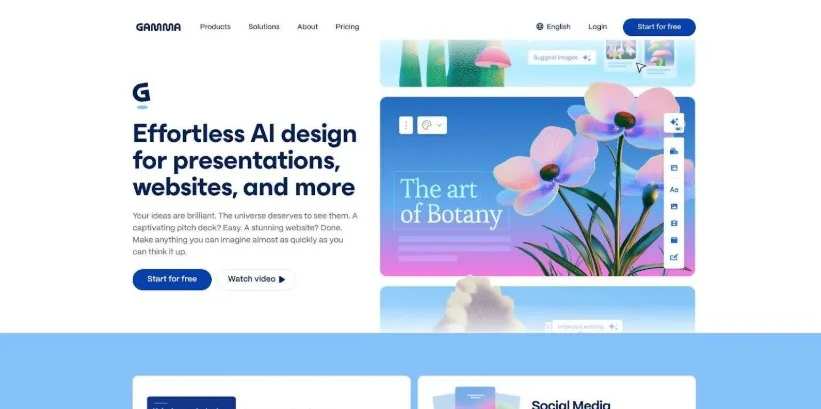
Gamma Web-Style Interactive Presentation Deck Interface
Zapier’s testers loved the control panel tucked under Advanced Settings: audience, tone, aspect ratio, and even a toggle for full prose or tight summaries. The first draft respects your visual rules while giving you room to refine.
Real users notice the polish. “The layout adapts to whatever I add, and I don’t feel like I’m fighting a rigid slide box,” one Redditor wrote after weeks of hands-on trials.
Share a Gamma link and viewers scroll the deck like a modern web page, ideal for investor updates or async reports. If you need to present live, export to PowerPoint or PDF. The free plan’s 400-credit pool never refills, so heavy creators move to the nine-dollar Plus tier.
Bottom line: when you want consistent design, interactive embeds, and a format that feels fresher than click-next slides, Gamma is the quickest path.
Canva’s appeal has always been simplicity. Magic Design builds on that by letting you describe an idea, pick a style, and receive a ready-to-edit deck in one flow.
You start with a prompt. Canva instantly shows half a dozen thumbnail themes (bold, minimal, corporate, playful). Choose one, and the platform fills every slide with on-topic copy, images, and color-matched graphics. Because it runs on the same canvas you use for social posts and posters, you can pull in charts, infographics, and short videos without context-switching.
Brand guardians will appreciate the one-click Brand Kit toggle. Set your palette and fonts once, and Magic Design applies them automatically. Marketing teams stay on-brand, while freelancers look like they have an in-house designer on call.
The catch? Canva’s AI focuses on layout more than storytelling. Plan to adjust the narrative flow yourself or pair Canva with ChatGPT for deeper content. Still, for anyone who values speed and visual range, Canva covers the essentials: free tier access, drag-and-drop editing, and exports to PowerPoint, PDF, or a shareable web link.
If you already use Canva for everything else, letting it draft your slides is the easiest checkbox you’ll tick all week.
Pitch borrows Google Docs-style collaboration and drops it into a presentation studio. Multiple teammates edit the same slide at once, leave inline comments, and track versions without the naming chaos of “Final v7 REALLY-final.pptx.”
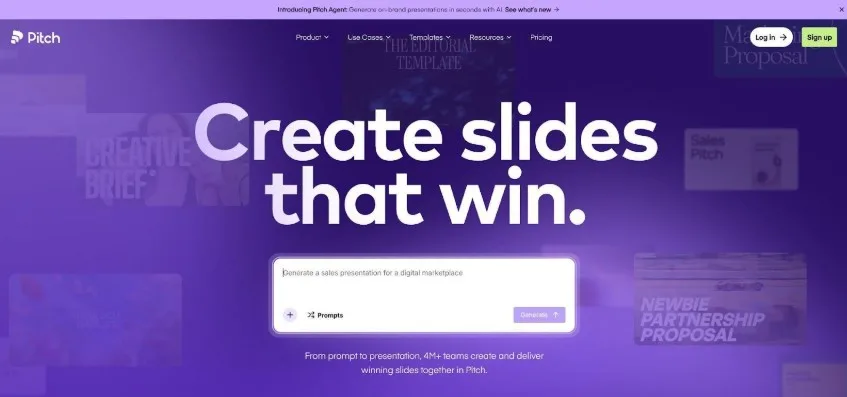
Pitch Collaborative Presentation Editor with Live Co-Editing
AI does the heavy lifting at kickoff. Feed Pitch a one-line brief such as “Q2 sales recap for leadership,” and it drafts a clean outline, choosing on-brand templates and placeholder charts. Because Pitch connects to tools like Google Analytics and HubSpot, you can swap those placeholders for live charts that update themselves before every meeting.
Collaboration perks continue after the deck is done. Record a quick video of yourself talking through the slides, share a link, and viewers can watch, react, and add questions right on the deck. It feels more like a mini web app than a static file.
Free workspaces cover small teams, but once you need unlimited version history or private sharing, the ten-dollar-per-editor plan opens the full feature set. If your group cares less about solo speed and more about building, refining, and presenting together, Pitch keeps the hive mind in sync.
If Beautiful.ai ever left you wanting more control, Presentations AI delivers the upgrade you hoped for. The app revolves around a chat-style interface: type “Add a competitive overview slide after the intro,” and seconds later the slide appears in your brand colors and fonts.
Brand fidelity is the headline feature. Upload a logo, paste a hex palette, and the platform’s Brand Sync engine locks every new layout to those standards. No rogue hues, no off-brand typefaces sneaking in at 11 pm before board day.
PowerPoint export is another strength. Presentations AI flattens nothing; every text box and shape stays fully editable when you open the file in Office. You can hand a draft to a stakeholder who still lives in PowerPoint without worrying about misaligned spacing.
Pricing is simple: a free trial, then eight dollars per seat. Enterprise plans add SSO, slide-library permissions, and SOC 2 paperwork, perks that mid-market teams often miss in lighter tools.
Choose Presentations AI when you need AI speed but refuse to compromise on strict brand rules or downstream PowerPoint workflows.
Sometimes numbers do the talking. Visme turns those numbers into charts, infographics, and animated widgets that drop straight into your slide deck without leaving the browser.
The flow is simple. Import a spreadsheet or paste tabular data, pick a chart style, and Visme’s AI suggests colors, annotations, and animations that match the rest of your deck. Need regional breakouts? Toggle a map view. Want viewer analytics? Visme tracks who watched each slide, and how long they lingered.
Because Visme began life as an infographic tool, its slide editor feels more like Illustrator than PowerPoint. That can feel heavy on day one, yet it pays off when you’re wrangling complex visuals. Collaboration is smooth, too: teammates can comment, version, and lock brand assets, so rogue fonts never sneak in.
The free tier lets you test-drive five projects. Step up to the twenty-five-dollar Pro plan and you gain brand kits, analytics, and export options from PDF to PowerPoint. For anyone presenting survey findings, product metrics, or policy research, Visme turns a wall of numbers into a story people remember.
Tome treats slides as chapters in a story rather than rectangles to fill. Type a prompt such as “Seed-round pitch for a climate-tech startup,” and it drafts a storyline with problem, solution, traction, and team already mapped out. Images, text, and short videos flow into a horizontal scroll that feels closer to a web journey than a static deck.
Editing stays conversational. Ask Tome to “tighten the market-size slide” or “swap photos for a darker mood,” and it reshapes the page instead of handing you a list of styles to click through. Because content blocks are responsive, designs remain tidy on desktop and mobile without extra effort.
Tome’s user base grew to one million in just four months, according to Forbes, proof that audiences want a fresher format. The free plan provides basic access, while the sixteen-dollar Pro tier adds AI features and brand colors.
If you need a deck that reads like a product tour and enjoy embedding live prototypes, 3D models, or GIFs beside your copy, Tome is the storytelling canvas that keeps viewers scrolling.
Beautiful.ai is the tool you open when the meeting is tomorrow and quality still matters. Its Smart Slide system locks every element to an invisible grid, so text auto-resizes, charts realign, and photos snap into place without manual nudging.
Generation starts with a short brief. The AI drafts a deck, then keeps offering design ideas as you tweak copy or drag in new data. Because layouts are rules based, you can’t break symmetry even if you try, welcome relief when junior teammates jump in at the last minute.
Teams on the forty-dollar plan get “Team Themes,” a private library of branded templates that guarantee logo placement, colors, and fonts stay consistent across departments. Exports to PowerPoint are decent, though complex animations don’t always survive the jump, so schedule a quick visual check if your boss insists on a .pptx.
There’s no permanent free tier, only a fourteen-day trial, so Beautiful.ai suits professionals who live in slides weekly, not casually. If design stress keeps you up at night, this layout safety net is worth the subscription.
Chronicle is the pragmatic middle child of AI slide makers. It offers a modern web canvas and a fast, widget-based generator that runs in the browser.
Open the Chronicle web app, paste a short brief, and it builds a full deck with timelines, SWOTs, or process flows pulled from its library of slide “widgets.” Each widget is fully editable, so replacing a three-step process with five steps takes seconds without breaking alignment.
Because Chronicle uses a block-based canvas, every slide stays fully editable and responsive, a lifesaver when a VP wants to tweak a chart five minutes before go time. Early adopters praise the speed; Reddit testers called it “corporate-creative minimalism” that gets you “90 percent there” in under a minute.
The beta is currently free. Post-launch pricing is expected around fifteen dollars a month, with enterprise plans adding brand-locked templates, SOC 2 compliance, and other controls. If you want AI speed in a modern block-based editor, Chronicle is the low-friction choice.
If your company already licenses Microsoft 365, Copilot is nearly a free upgrade to the daily slide routine. Open PowerPoint, ask “Create a ten-slide deck summarising the Q3 financials,” and Copilot pulls numbers from Excel, drafts charts, and applies your corporate template automatically.
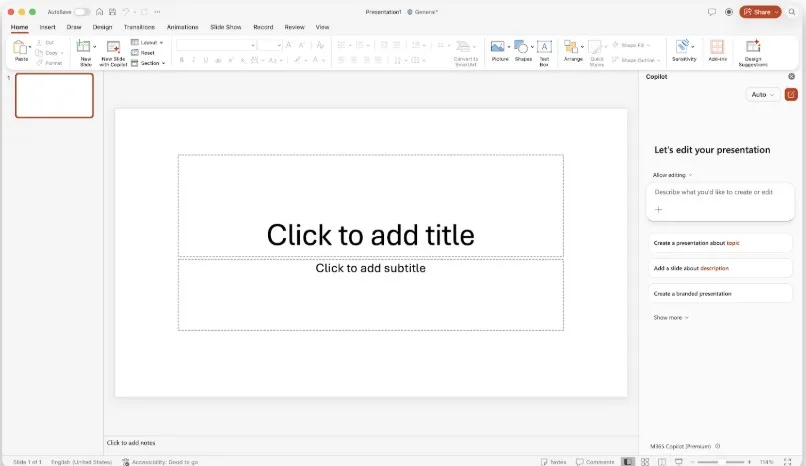
Microsoft PowerPoint Copilot Official In-App Screenshot
The real power comes from Microsoft Graph. Copilot can read the spreadsheets, Word docs, and Teams transcripts you already store in OneDrive, so slide content stays accurate and on-brand without copy-pasting. You can then issue quick commands such as “shorten this paragraph” or “replace icons with photos,” and changes ripple through the deck in real time.
Security teams relax because everything happens inside your tenant. Data stays on Microsoft servers, permissions mirror your share settings, and SOC 2 documentation is already on file with IT. The catch is price: Copilot adds roughly thirty dollars per user each month on top of E3 or E5 licenses, and it is available only to enterprise customers for now.
For organisations that live in Outlook, Excel, and PowerPoint all day, Copilot feels like a built-in slide assistant. It will not craft dazzling visuals, but it will shave hours off report decks and let you focus on the story.
Prezi tosses the traditional slide deck aside. Instead of clicking through rectangles, your audience zooms across a single canvas, diving into details and panning back to the big idea.
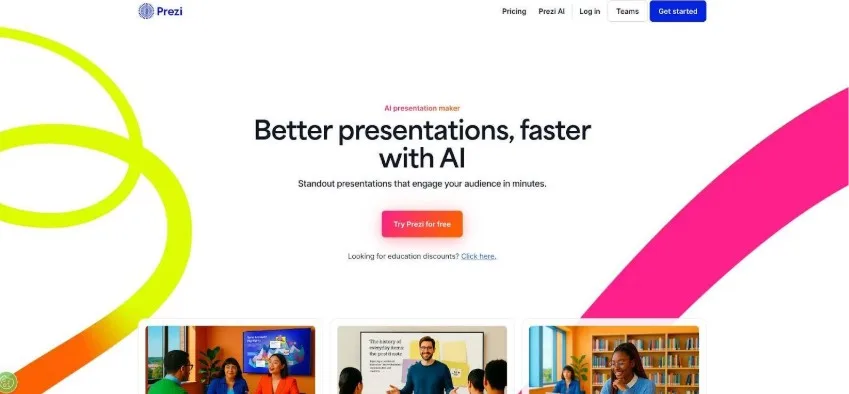
Prezi and Prezi AI Zoomable Canvas Presentation View
The new AI assistant speeds up the messy part: structuring that canvas. Drop in your topic or an outline, and Prezi AI plots a hierarchy of frames with a central concept in the middle and supporting points around it. Each frame gets auto-selected images and concise text, so your first draft already feels dynamic.
This zoomable flow works well for lessons, product demos, or conference talks where you want to keep the room engaged. You can even record yourself alongside the canvas for an asynchronous talking-head video.
The free plan adds a watermark, and advanced animations stay locked behind a fifteen-dollar Plus subscription. Exports to PDF work fine, but PowerPoint exports flatten the unique transitions into static slides, so plan to present from Prezi’s web player when possible.
Choose Prezi when you want your story to feel like a guided tour rather than a page-turner.
No roundup can fit every contender, so here are a few standout tools that missed our top eleven but still deserve a quick look.
SlidesAI lives inside both Google Slides and PowerPoint and excels at turning a long report into a first-draft deck. Design options are limited, but for pure text-to-slide speed it’s practical and inexpensive.
Mentimeter and Sendsteps center on live interaction. If you need polls, quizzes, or real-time Q&A baked into your slides, start here. Both recently added AI question generators to trim prep time.
Alai earns praise for giving you four layout choices per generated slide. It’s still early stage, yet power users like the creative control.
Synthesia isn’t a slide builder at all. It creates AI avatar videos that narrate your deck. Pair it with any of the tools above for an asynchronous voice-over presentation without hitting record on your webcam.
These specialty apps solve specific pain points. Keep them in your back pocket for the moments when a mainline slide generator isn’t quite enough.


Get the latest Web3, AI, and crypto news delivered straight to your inbox.