Get Tasks Out of Your Head | Quasa Video Review
#Quasa #QUA #todoist
Todoist is a cross-platform to-do app from Doist: type “email Sam Friday p1 #Work” and it becomes a dated, prioritized task. Projects, labels, filters, Today/Upcoming views, Karma streaks, and templates cover personal and light team work. Apps exist for web, desktop, iOS, and Android, with fast sync. Free gives you five active projects. Pro is about $5/month billed yearly ($7 month-to-month) for 300 projects, reminders, calendar layout, attachments, and full AI (Task Assist plus Ramble voice capture). Business is about $8/user/month yearly for a shared workspace, roles, and SOC 2. It is a task list, not a full project suite like Asana or ClickUp.
𝗞𝗘𝗬 𝗔𝗗𝗩𝗔𝗡𝗧𝗔𝗚𝗘𝗦:
• Natural-language capture that actually works
• Clean apps on every major platform
• Generous-enough free plan for simple lists
• Pro price is still low for daily use
• AI that splits vague goals and turns speech into tasks
𝗪𝗛𝗢 𝗜𝗧 𝗜𝗦 𝗙𝗢𝗥:
Individuals and small teams who want a reliable inbox for tasks, not a heavy PM tool with Gantt charts and custom databases.
𝗞𝗘𝗬 𝗙𝗘𝗔𝗧𝗨𝗥𝗘𝗦:
• 50M+ users, billions of completed tasks
• Recurring dates, priorities, and filters
• Integrations with calendars, Slack, and more
• Karma for streaks if you like a score
• 19 years of the same product thesis: capture first
𝗣𝗢𝗧𝗘𝗡𝗧𝗜𝗔𝗟 𝗟𝗜𝗠𝗜𝗧𝗔𝗧𝗜𝗢𝗡𝗦:
• Free caps projects, reminders, and attachments
• Weak as a full team project manager
• Calendar/time-blocking is lighter than TickTick or dedicated planners
• AI is assistive, not an autonomous agent
• Prices rose after years of staying flat
𝗙𝗜𝗡𝗔𝗟 𝗩𝗘𝗥𝗗𝗜𝗖𝗧: 𝟰.𝟲/𝟱 𝗦𝗧𝗔𝗥𝗦
Todoist remains the default task manager when speed of capture matters more than project theater. Stay on Free until the five-project wall; upgrade to Pro for reminders and AI. Pick something else if you need docs, workloads, and portfolio views in one place.
𝗚𝗘𝗧 𝗦𝗧𝗔𝗥𝗧𝗘𝗗: https://quasa.io/projects/todoist
In case you missed it

ELSA – AI English Speaking Coach, Pronunciation Feedback & Personalized Practice

Layla – AI Travel Planner, Personalized Itineraries & Human Booking Support

Beautiful.ai – AI Presentation Software, Automatic Layouts & Brand Controls

AdCreative.ai – AI Advertising Platform, Creative Generation & Predictive Scoring

Praktika.ai – AI Language Learning App, Avatar Conversations & Instant Feedback

StudyFetch – AI Study Platform, Personalized Tutoring & Automated Study Materials

MusicGPT – AI Audio Creation Platform, Song Generation & Audio Editing

Magnific – AI Creative Platform, Media Generation & Image Upscaling

Danelfin – AI Stock Analytics, Explainable Scores & Portfolio Tracking

Astor – AI Investing Assistant, Portfolio Monitoring & Personalized Research
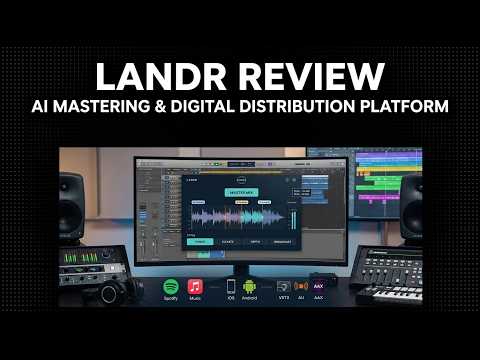
LANDR – Music Production Platform, AI Mastering & Digital Distribution

Beatoven.ai – AI Audio Technology, Music Generation & Sound Effects

Motionvid – AI Video Editor, Prompt-Based Motion Graphics & Animated Explainers

invideo – AI Video Platform, Conversational Editing & Multimedia Generation

revid.ai – AI Video Platform, Automated Creation & Social Publishing

Craze – AI Video Platform, Creative Direction & Timeline Editing

Vyra – AI Video Editor, Conversational Editing & Reference Style Matching

Flowi – AI Motion Design Tool, Text-to-Animation Generation & Editable Graphics

Cona – 3D Room Planner, AI Furnishing & Shoppable Furniture Layouts

Fluently – AI English Tutor, Speaking Practice & Personalized Feedback

Voice AI – Voice Agent Platform, Call Automation & Multilingual Support

SongUp AI – AI Song Generator, Multilingual Vocals & Audio Production Tools

Caddy – Personal AI in Messages, Calendar Scheduling & Task Reminders
